
Searching Cases by Name
For a Saline County District Court file, the public statewide tool is Kansas Courts CaseSearch. Accept the terms first. Pick District as your court. Then choose Party Name, Business Name, or Party As Business Name. The county field appears only on the search paths that need it. You select Saline County when it shows. Save file dates and case type for the moment a first result set comes back too broad.
- Open CaseSearch and accept its access terms.
- Select District, then the correct name-based search type.
- Enter the indexed party or legal business name.
- Select Saline County if the conditional county field appears.
- Add a case type or filing-date range to narrow common names.
- Complete the human check, run the query, and compare the full result details.
One person's name can surface in several cases and roles. Match on the court, the type, the filing date, and the full number before trusting a hit. Skip the optional sensitive fields unless they truly help you separate the right public case from the rest.
| Field | Type | Required | Use |
|---|---|---|---|
| Court | Select | Yes | District or Appellate |
| Search Type | Select | Yes | Party, business, case number, or appellate lower-court number |
| Search Term | Text | Yes | Name, business, or number |
| County | Select | Conditional | Choose Saline County when shown |
| Case Type | Select | No | Criminal, Civil, Family, or Probate/Mental Health |
| File Dates | Date range | No | Narrow by filing period |
| Human Check | Turnstile | Yes | Must clear before search |
Saline County CaseSearch Controls
Guests see a narrower screen than the 2025 Smart Search guide describes. The guest version offers Court, Search Type, Search Term, a conditional County field, optional case type and date fields, extra-filter controls, Turnstile, Search, and Reset. The official guide goes further. It covers attorney, citation, judicial-officer, nickname, sounds-like, booking, and cross-reference fields. Not every guest gets those, so don't count on them. The CaseSearch page shows the field arrangement in its current public form.
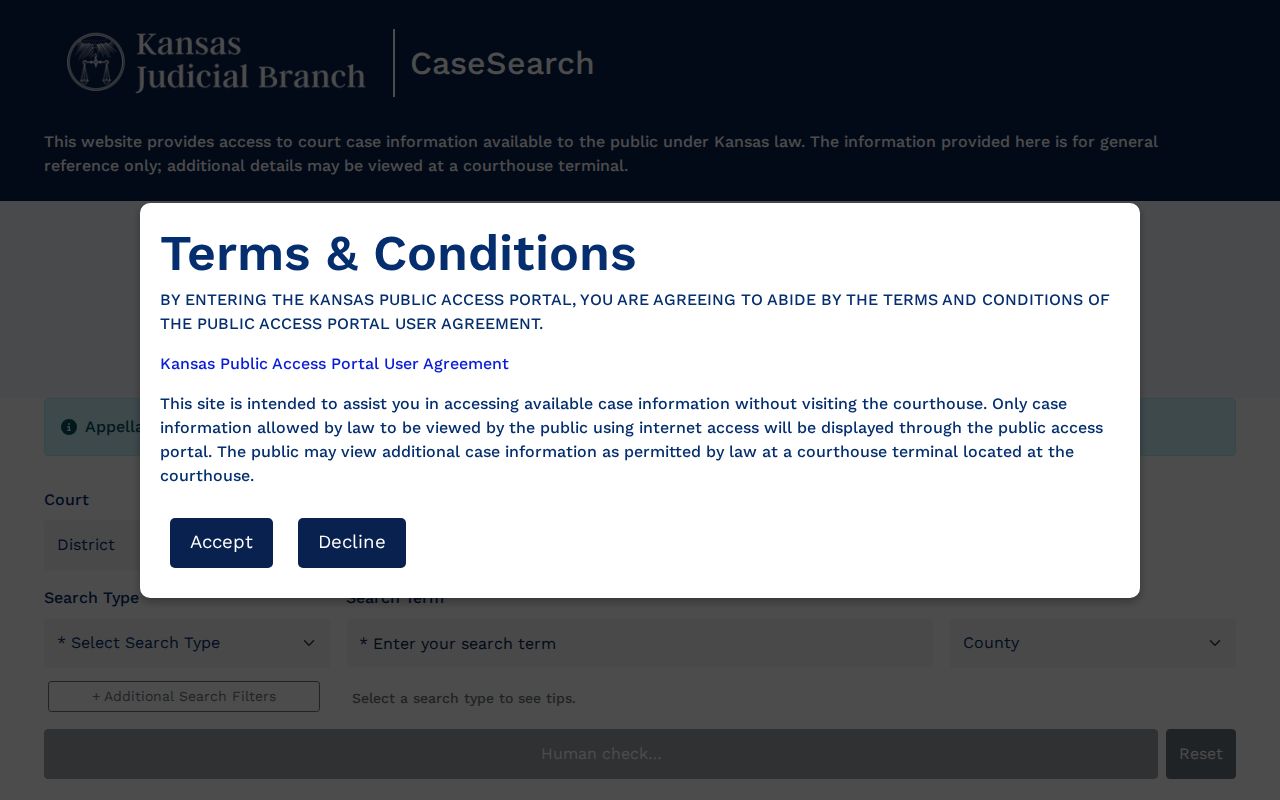
Cloudflare sometimes blocks guest sessions on the production site. If Turnstile never unlocks the Search button, use the public terminal or the clerk rather than assuming anything from a disabled control.
Searching by Case Number
A case number is usually the cleanest Saline County lookup. Newer Odyssey Enterprise Justice numbers carry the county code, the year, a case-type code, and a six-digit sequence. Here is a civil example: SA-2024-CV-000123. Here is a criminal one: SA-2024-CR-000123. The SA marks Saline County. CV or CR gives the broad type. The final segment is the sequence.
Cases opened before July 11, 2022 may still use an older style. It looks like 2022-CV-000123, with no SA prefix. Try whatever format is printed on your court notice first. If that fails, ask the clerk whether the old number was converted. Never search on just the year or the last few digits. Those pieces are not unique.
Saline County Portal Transition
The old Odyssey ProdPortal address now lands on a CaseSearch transition page instead of a search form. So a stale county bookmark may deliver a notice rather than results. Follow the official transition to the current CaseSearch address. This is a platform swap, not a sign that Saline County records vanished.
Appeals run on a separate path. CaseSearch itself warns that appellate documents filed before March 13, 2025 are unavailable online and that some temporary appellate types are excluded. If a Saline County District Court matter later went on appeal, you may need both the trial-court number and a distinct appellate search.
What a Case Search Returns
A public result starts by identifying the file. Read the court, the complete case number, the type, the filing date, and the status before you interpret any event. The detail view can then add the judicial officer, party roles, attorneys, a chronological event list, settings, and visible disposition information. What it will not reliably give every guest is document images, charge depth, or financial fields. Treat those as unknown until you see them.
| Case Number | The unique Saline County identifier in a current or older format. |
|---|---|
| Court | District, appellate, or another venue holding the record. |
| Case Type | Criminal, Civil, Family, Probate/Mental Health, or another supported class. |
| Filed Date | The date the clerk accepted the opening filing. |
| Status | A broad open, closed, or disposed state when displayed. |
| Case Events | Dated filings, hearings, orders, or other docket actions. |
| Parties | Names and roles that are public under Kansas access rules. |
An event is not the same as an outcome. A motion entry tells you the motion was filed, not that anyone granted it. A setting means court time was placed on the Saline County court calendar. It does not mean the hearing happened. For real weight, look to a journal entry or judgment. That carries stronger detail about a ruling.
Saline County Result Levels
Write down the access level next to any fact you plan to rely on. An internet summary is one product. A terminal view, a public document image, and a clerk-certified copy are different products with different weight. Guest access to basic CaseSearch is free. The portal posts no current per-document guest price. The Saline County clerk has not set a fixed local fee for every certified copy or staff search either. Ask before you order.
A search hit is not a certified record. Use the portal to locate the file, then request the exact docket sheet, order, judgment, or filed document from the clerk when authentication matters.
The clerk can also decode a confusing status for you. Saline County publishes no official code sheet for labels like ORD, MOT, CONT, or DISP, so don't assign those abbreviations a county-specific meaning without confirmation.
Statewide vs County Case Search
Saline County publishes no separate District Court case-search database that goes deeper than the web. Kansas Courts CaseSearch is the statewide public layer. Local access beyond the internet comes through the Saline County District Court clerk. The courthouse terminal offers that same deeper access. Salina Municipal Court stays separate, handling Salina Police citations, ordinance cases, and municipal misdemeanors.
| Channel | Coverage | Best Use |
|---|---|---|
| Kansas Courts CaseSearch | Participating Kansas District and appellate cases | Free basic public lookup by supported term |
| Saline courthouse terminal | Broader public District Court access under Rule 22 | Details not placed on the internet |
| District Court clerk | Saline County case files and copy routing | Documents, certification, and unclear results |
| Salina Municipal Court | Salina city cases | City schedule, citation, and municipal questions |
A county traffic ticket, a Salina city ticket, and a federal case each live in different systems. Check the issuing agency and the court printed on the citation before you pick a search.
Saline County Search Versus eFlex
Kansas Courts eFiling through Tybera eFlex is a filing system, not the public docket viewer. Since 2016, Local Rule 14 has required licensed attorneys to file new cases and later documents electronically in Saline and Ottawa Counties. Those filings remain subject to the rules. They feed court operations behind the scenes. Public readers still go through CaseSearch. The eFlex sign-in screen is built for filers. It is not for anyone running a name search on Saline County records.
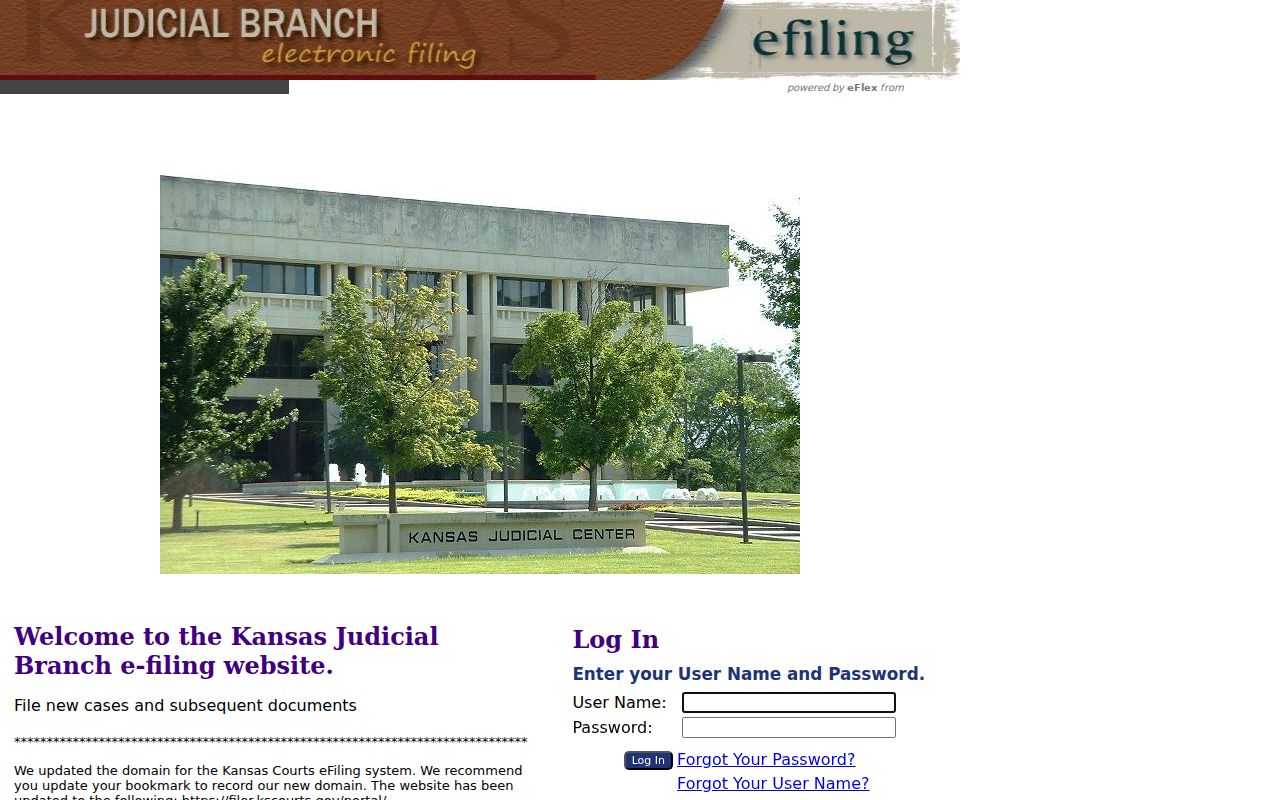
Skip the eFlex account if you only need to look up a public case. A CaseSearch lookup, a courthouse terminal, or a call to the clerk will get you the docket instead.
Access and Restricted Cases
Kansas Supreme Court Rule 22 sets two access levels: the internet portal and the courthouse terminal. Neither one opens nonpublic court records. Adoptions, CINC cases, expunged matters, grand jury work, PFA and PFS cases, and certain mental-health proceedings stay restricted. So do many family, juvenile, warrant, custody, guardianship, and sensitive filings. Rule 24 adds another layer. It requires protected personal data to be redacted before documents go online.
A docket search that comes back empty can mean several things. The case may be restricted, filed in a different venue, or too new to index. It may carry an older case number, or the portal may block it. Silence is never proof the matter does not exist.
Saline County Blocked Search Fallback
When the portal stalls, work the fallback chain in order. The District Court provides a public computer terminal in the court building under Rule 22. The clerk counter sits at 300 W. Ash, Room 306, Salina. Criminal questions go to 785-309-5831, while civil and domestic matters use 785-309-5835 or 785-309-5836. For traffic, call 785-309-5830. For probate, small claims, juvenile, or limited actions, use 785-309-5834 or 785-309-5832.
- Save the complete number, name spelling, likely type, and filing year.
- Try the current and older Saline County number formats.
- Use the courthouse terminal for broader public details.
- Ask the proper clerk desk for the exact docket or document.
- Use the Kansas Judicial Branch record-request form for a specific court record.
- Ask about bound volumes, microfilm, or State Archives for an older file.
An open-records request to the county covers county government records only. It cannot override the access rules that govern court records. A municipal case belongs with that city's own clerk. The Saline County District Court publishes no fax, email, or single mail channel for certified-copy requests, so confirm delivery and fees with the clerk before you send anything.
Saline County Guest Access
Guest access on CaseSearch shows basic case details. That is enough for an ordinary public search of a Saline County court docket. Users who need more can apply for expanded access and sign in through ID.me. That approval is role-based, set by Kansas rules. It does not unseal anything. Registration is not required for a routine lookup, so do not sign up unless expanded access truly applies.
Search by case number when you can. With a name, narrow the field using Saline County, the right case type, and a reasonable filing range. Use the legal business name from the filing rather than a guessed trade name. The nickname and sounds-like search options depend on the screen. The current guest view does not clearly expose them.
Note: A portal result may be incomplete or delayed, so confirm important dates and documents with the originating court.
Saline County Search Term Checks
Before calling a name result a match, check the case number, filing date, court, party role, and case type. Older Saline County files may surface if you drop the SA prefix and try the bare number. A city matter belongs with the municipal clerk, so do not force it through the District Court index.
Saline County Document Requests
CaseSearch can list an event in the court docket without showing the document itself. Write down the exact event title and date. Then ask. Can the courthouse terminal, the inspection process, or a clerk copy request reach it? Say whether you need a plain or certified copy, and request the current fee estimate.